 14bb135116
Currently translated at 100.0% (706 of 706 strings) Translated using Weblate (French) Currently translated at 100.0% (699 of 699 strings) Translated using Weblate (French) Currently translated at 100.0% (699 of 699 strings) Translated using Weblate (French) Currently translated at 100.0% (699 of 699 strings) Co-authored-by: Dylan MONTIGAUD <dylanmontigaud17@gmail.com> Co-authored-by: Hosted Weblate <hosted@weblate.org> Translate-URL: https://hosted.weblate.org/projects/feishin/translation/fr/ Translation: feishin/Translation |
||
|---|---|---|
| .github | ||
| .vscode | ||
| assets | ||
| media | ||
| resources | ||
| src | ||
| .dockerignore | ||
| .editorconfig | ||
| .gitattributes | ||
| .gitignore | ||
| .npmrc | ||
| .prettierignore | ||
| .prettierrc.yaml | ||
| .stylelintrc.json | ||
| CHANGELOG.md | ||
| dev-app-update.yml | ||
| docker-compose.yaml | ||
| Dockerfile | ||
| electron-builder-beta.yml | ||
| electron-builder.yml | ||
| electron.vite.config.ts | ||
| eslint.config.mjs | ||
| jeffvli-feishin.desktop | ||
| LICENSE | ||
| ng.conf.template | ||
| package.json | ||
| pnpm-lock.yaml | ||
| postcss.config.cjs | ||
| README.md | ||
| remote.vite.config.ts | ||
| settings.js.template | ||
| tsconfig.json | ||
| tsconfig.node.json | ||
| tsconfig.web.json | ||
| vercel.json | ||
| web.vite.config.ts | ||

Feishin


Rewrite of Sonixd.
Features
- MPV player backend
- Web player backend
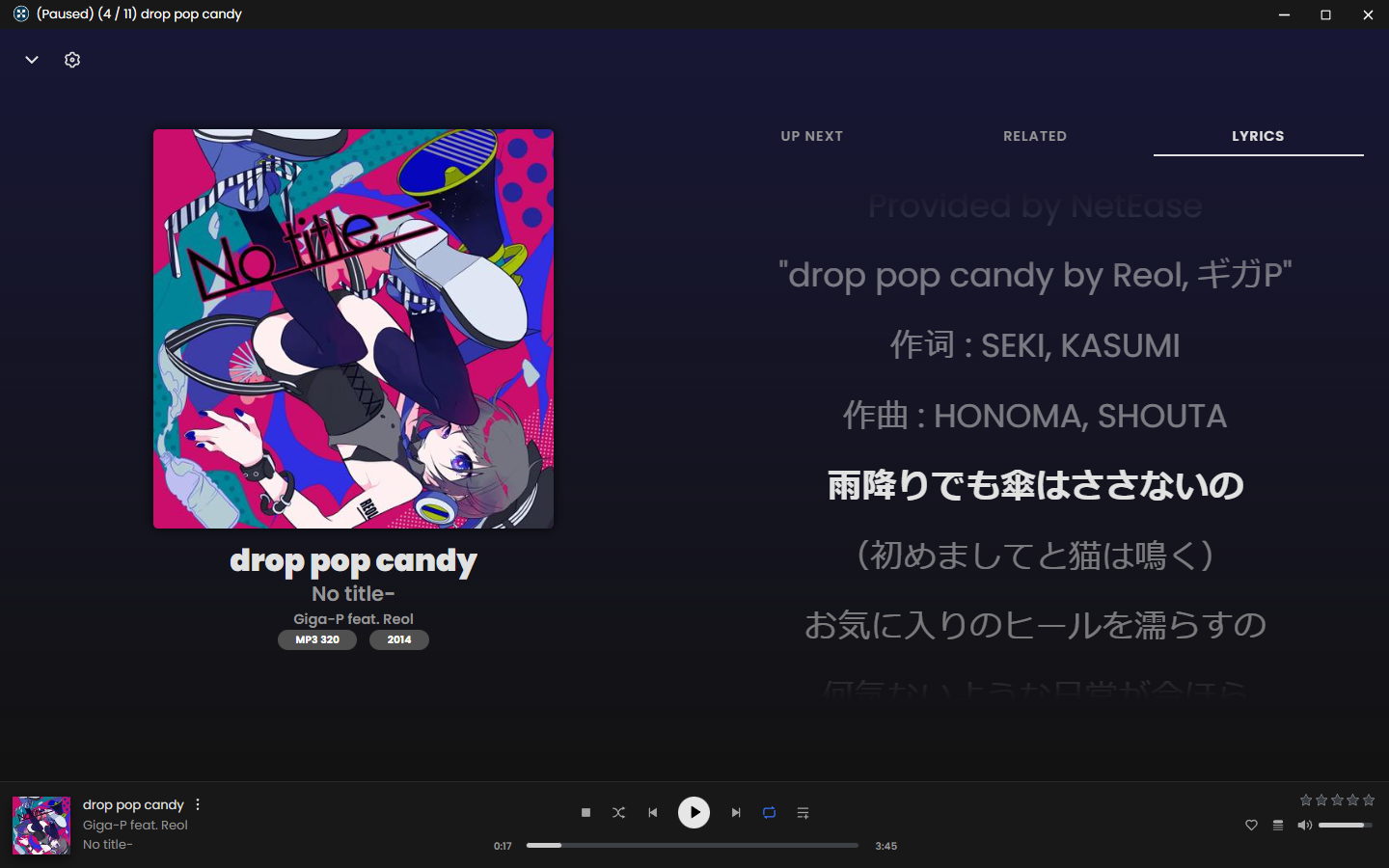
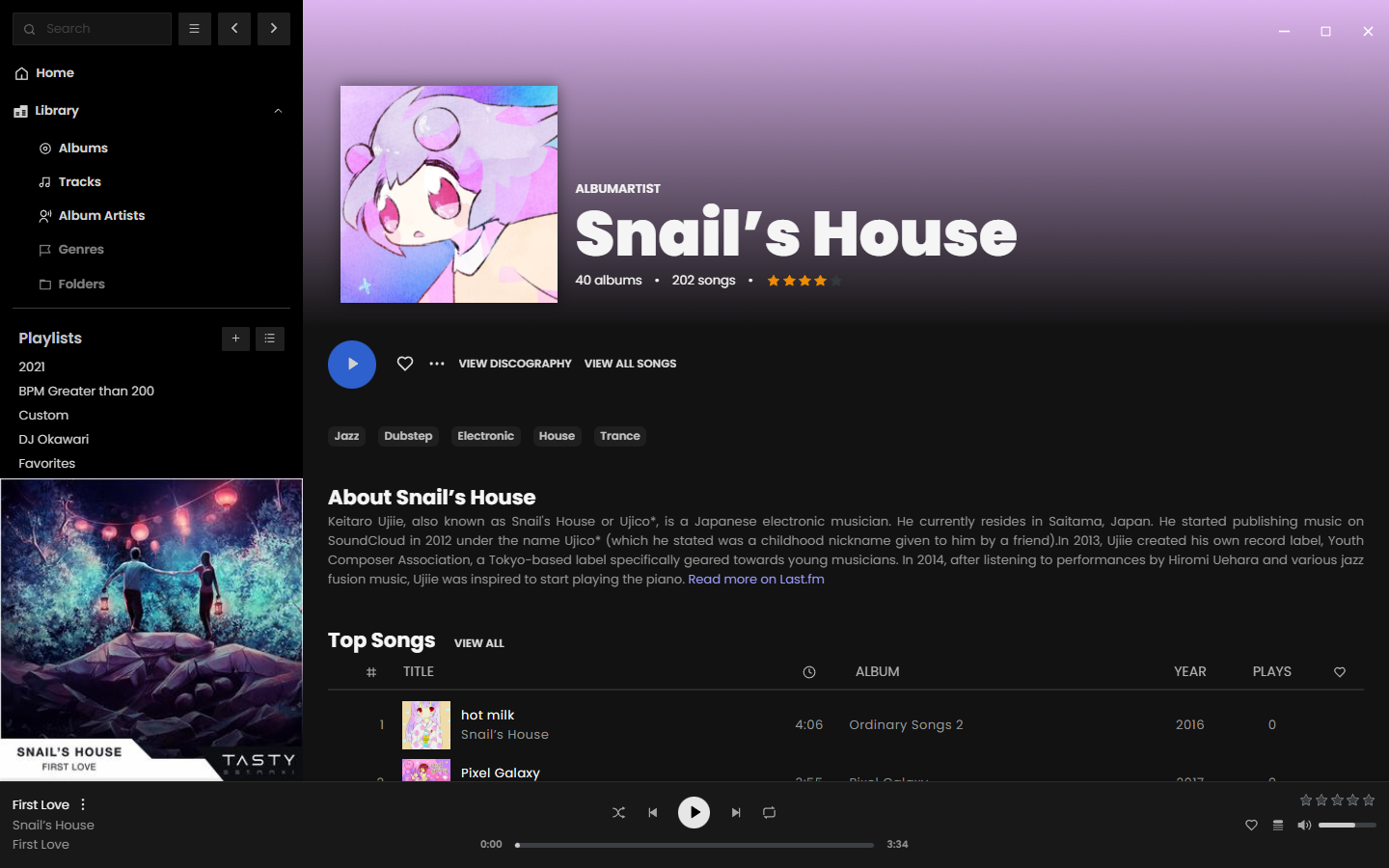
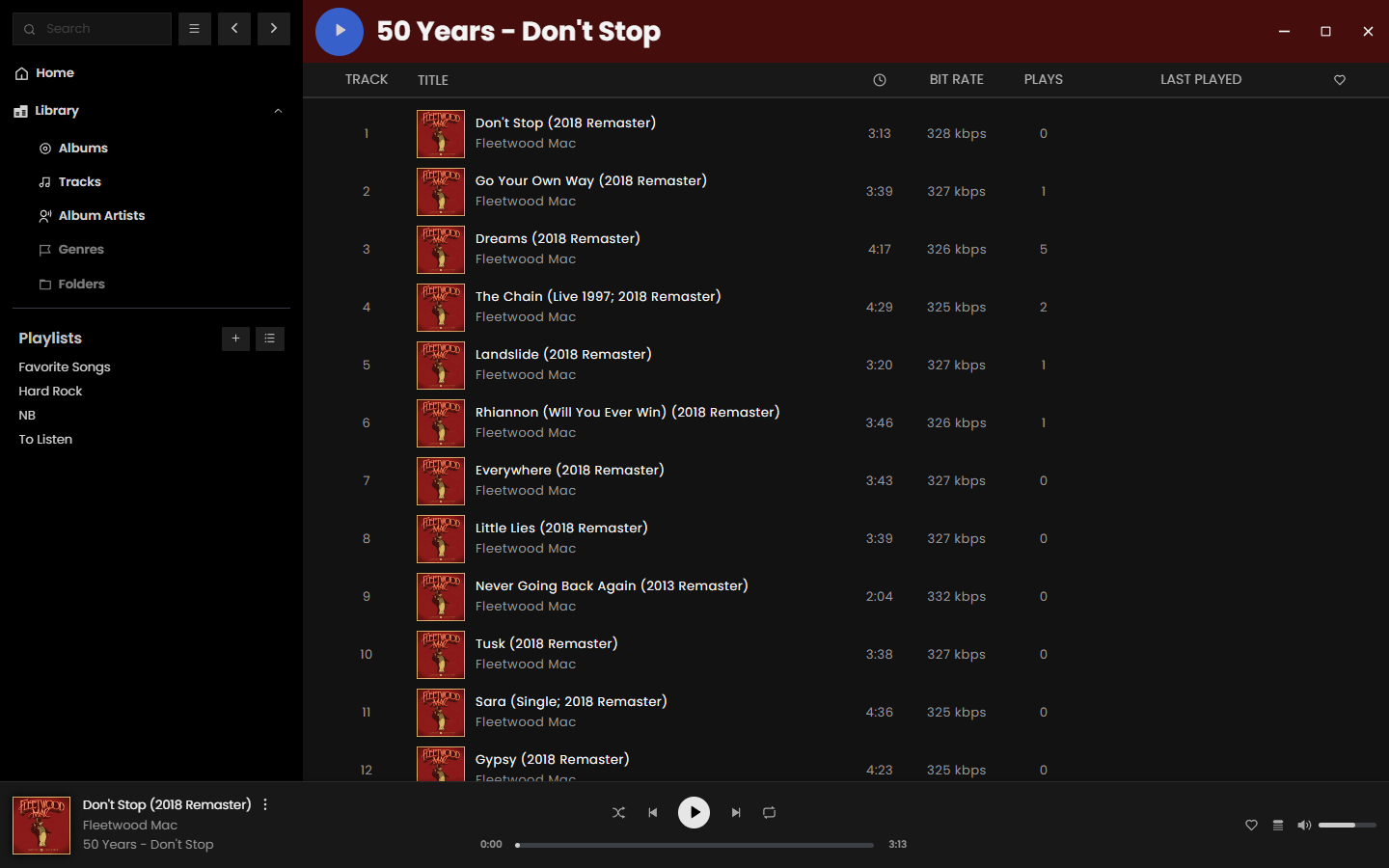
- Modern UI
- Scrobble playback to your server
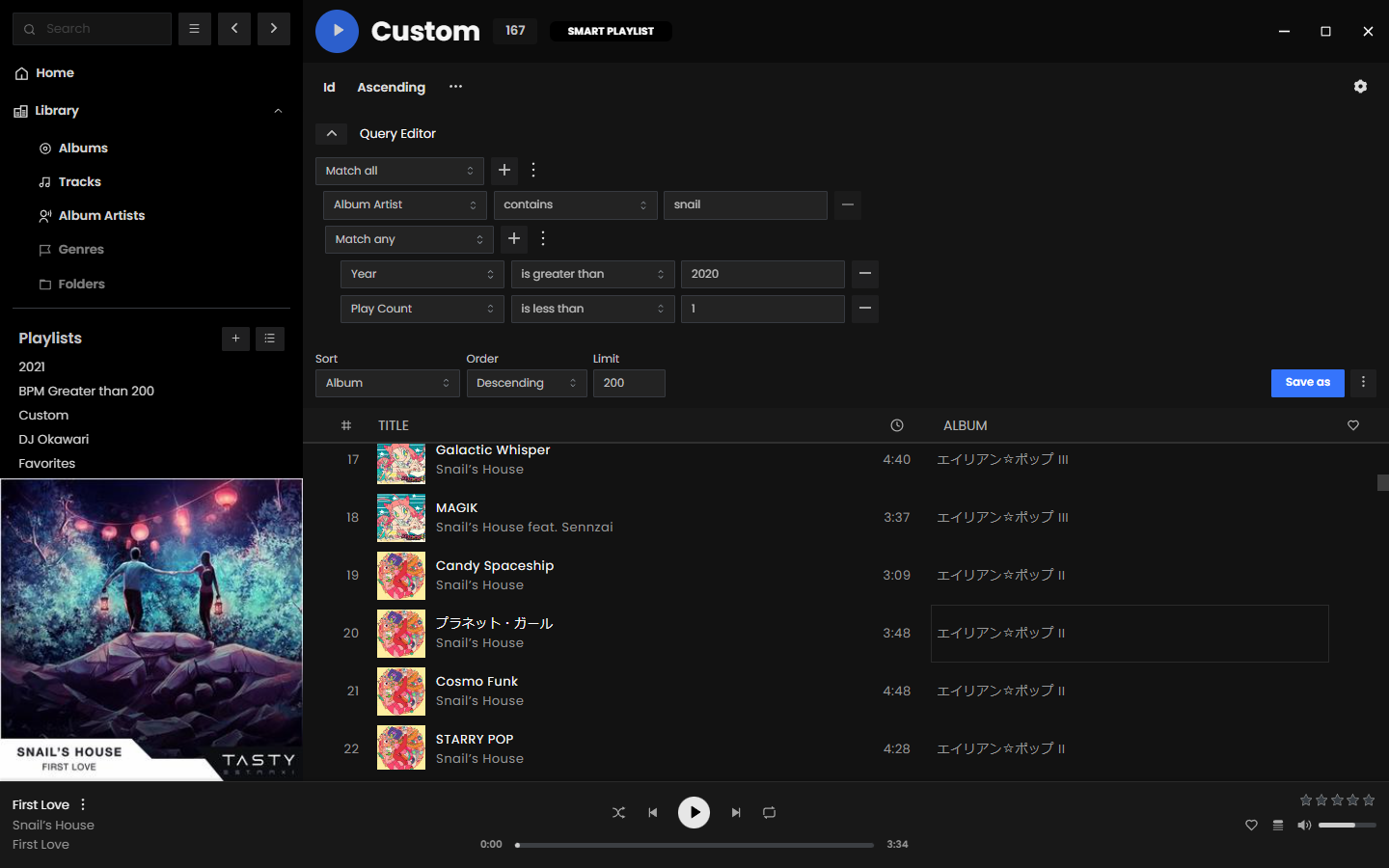
- Smart playlist editor (Navidrome)
- Synchronized and unsynchronized lyrics support
- Request a feature or view taskboard
Screenshots
Getting Started
Desktop (recommended)
Download the latest desktop client. The desktop client is the recommended way to use Feishin. It supports both the MPV and web player backends, as well as includes built-in fetching for lyrics.
macOS Notes
If you're using a device running macOS 12 (Monterey) or higher, check here for instructions on how to remove the app from quarantine.
For media keys to work, you will be prompted to allow Feishin to be a Trusted Accessibility Client. After allowing, you will need to restart Feishin for the privacy settings to take effect.
Linux Notes
If you're using a Linux device, a .desktop file is recommended for easy launching of Feishin.
Download the latest release (AppImage) and application icon to your ~/applications/ folder. This folder may need to be created if it does not already exist.

Rename the icon to Feishin-linux-x86_64.png.
Save the example desktop file as ~/.local/share/applications/feishin.desktop.
You will now see Feishin show up in your menu.
Web and Docker
Visit https://feishin.vercel.app to use the hosted web version of Feishin. The web client only supports the web player backend.
Feishin is also available as a Docker image. The images are hosted via ghcr.io and are available to view here. You can run the container using the following commands:
# Run the latest version
docker run --name feishin -p 9180:9180 ghcr.io/jeffvli/feishin:latest

# Build the image locally
docker build -t feishin .
docker run --name feishin -p 9180:9180 feishin
Docker Compose
To install via Docker Compose use the following snippit. This also works on Portainer.
services:
    feishin:
        container_name: feishin
        image: 'ghcr.io/jeffvli/feishin:latest'
        environment:
            - SERVER_NAME=jellyfin # pre defined server name
            - SERVER_LOCK=true # When true AND name/type/url are set, only username/password can be toggled
            - SERVER_TYPE=jellyfin # navidrome also works
            - SERVER_URL= # http://address:port
            - PUID=1000
            - PGID=1000
            - UMASK=002
            - TZ=America/Los_Angeles
        ports:
            - 9180:9180
        restart: unless-stopped
Configuration
-
Upon startup you will be greeted with a prompt to select the path to your MPV binary. If you do not have MPV installed, you can download it here or install it using any package manager supported by your OS. After inputting the path, restart the app.
-
After restarting the app, you will be prompted to select a server. Click the
Open menubutton and selectManage servers. Click theAdd serverbutton in the popup and fill out all applicable details. You will need to enter the full URL to your server, including the protocol and port if applicable (e.g.https://navidrome.my-server.comorhttp://192.168.0.1:4533).
- Navidrome - For the best experience, select "Save password" when creating the server and configure the
SessionTimeoutsetting in your Navidrome config to a larger value (e.g. 72h).- Linux users - The default password store uses
libsecret.kwallet4/5/6are also supported, but must be explicitly set in Settings > Window > Passwords/secret score.
- Linux users - The default password store uses
-
Optional - If you want to host Feishin on a subpath (not
/), then pass in the following environment variable:PUBLIC_PATH=PATH. For example, to host on/feishin, pass inPUBLIC_PATH=/feishin. -
Optional - To hard code the server url, pass the following environment variables:
SERVER_NAME,SERVER_TYPE(one ofjellyfinornavidrome),SERVER_URL. To prevent users from changing these settings, passSERVER_LOCK=true. This can only be set if all three of the previous values are set.
FAQ
MPV is either not working or is rapidly switching between pause/play states
First thing to do is check that your MPV binary path is correct. Navigate to the settings page and re-set the path and restart the app. If your issue still isn't resolved, try reinstalling MPV. Known working versions include v0.35.x and v0.36.x. v0.34.x is a known broken version.
What music servers does Feishin support?
Feishin supports any music server that implements a Navidrome, Jellyfin, or OpenSubsonic compatible API.
- Navidrome
- Jellyfin
- OpenSubsonic compatible servers, such as...
I have the issue "The SUID sandbox helper binary was found, but is not configured correctly" on Linux
This happens when you have user (unprivileged) namespaces disabled (sysctl kernel.unprivileged_userns_clone returns 0). You can fix this by either enabling unprivileged namespaces, or by making the chrome-sandbox Setuid.
chmod 4755 chrome-sandbox
sudo chown root:root chrome-sandbox
Ubunutu 24.04 specifically introduced breaking changes that affect how namespaces work. Please see https://discourse.ubuntu.com/t/ubuntu-24-04-lts-noble-numbat-release-notes/39890#:~:text=security%20improvements%20 for possible fixes.
Development
Built and tested using Node v23.11.0.
This project is built off of electron-vite
pnpm run dev- Start the development serverpnpm run dev:watch- Start the development server in watch mode (for main / preload HMR)pnpm run start- Starts the app in production preview modepnpm run build- Builds the app for desktoppnpm run build:electron- Build the electron app (main, preload, and renderer)pnpm run build:remote- Build the remote app (remote)pnpm run build:web- Build the standalone web app (renderer)pnpm run package- Package the projectpnpm run package:dev- Package the project for development locallypnpm run package:linux- Package the project for Linux locallypnpm run package:mac- Package the project for Mac locallypnpm run package:win- Package the project for Windows locallypnpm run publish:linux- Publish the project for Linuxpnpm run publish:linux:beta- Publish the project for Linux (beta channel)pnpm run publish:linux-arm64- Publish the project for Linux ARM64pnpm run publish:linux-arm64:beta- Publish the project for Linux ARM64 (beta channel)pnpm run publish:mac- Publish the project for Macpnpm run publish:mac:beta- Publish the project for Mac (beta channel)pnpm run publish:win- Publish the project for Windowspnpm run publish:win:beta- Publish the project for Windows (beta channel)pnpm run typecheck- Type check the projectpnpm run typecheck:node- Type check the project with tsconfig.node.jsonpnpm run typecheck:web- Type check the project with tsconfig.web.jsonpnpm run lint- Lint the projectpnpm run lint:fix- Lint the project and fix linting errorspnpm run i18next- Generate i18n files
Translation
This project uses Weblate for translations. If you would like to contribute, please visit the link and submit a translation.