


 # Feishin
> **⚠️ Fork Notice**: This is a fork of the original [Feishin](https://github.com/jeffvli/feishin) project. I created this fork primarily to add folder view functionality that the original repo wasn't able to accommodate, along with some other features I found useful. While I'll try to keep this fork in sync with the original repo, that's not the primary focus. Feishin was pretty much perfect for me - I just missed the folder view feature. That said, I'll fix any obvious bugs I encounter, but for full support and the most up-to-date version, please stay with the original repository.
>
> **Note**: I primarily use Linux desktop, so only Linux issues can be addressed if needed.
# Feishin
> **⚠️ Fork Notice**: This is a fork of the original [Feishin](https://github.com/jeffvli/feishin) project. I created this fork primarily to add folder view functionality that the original repo wasn't able to accommodate, along with some other features I found useful. While I'll try to keep this fork in sync with the original repo, that's not the primary focus. Feishin was pretty much perfect for me - I just missed the folder view feature. That said, I'll fix any obvious bugs I encounter, but for full support and the most up-to-date version, please stay with the original repository.
>
> **Note**: I primarily use Linux desktop, so only Linux issues can be addressed if needed.


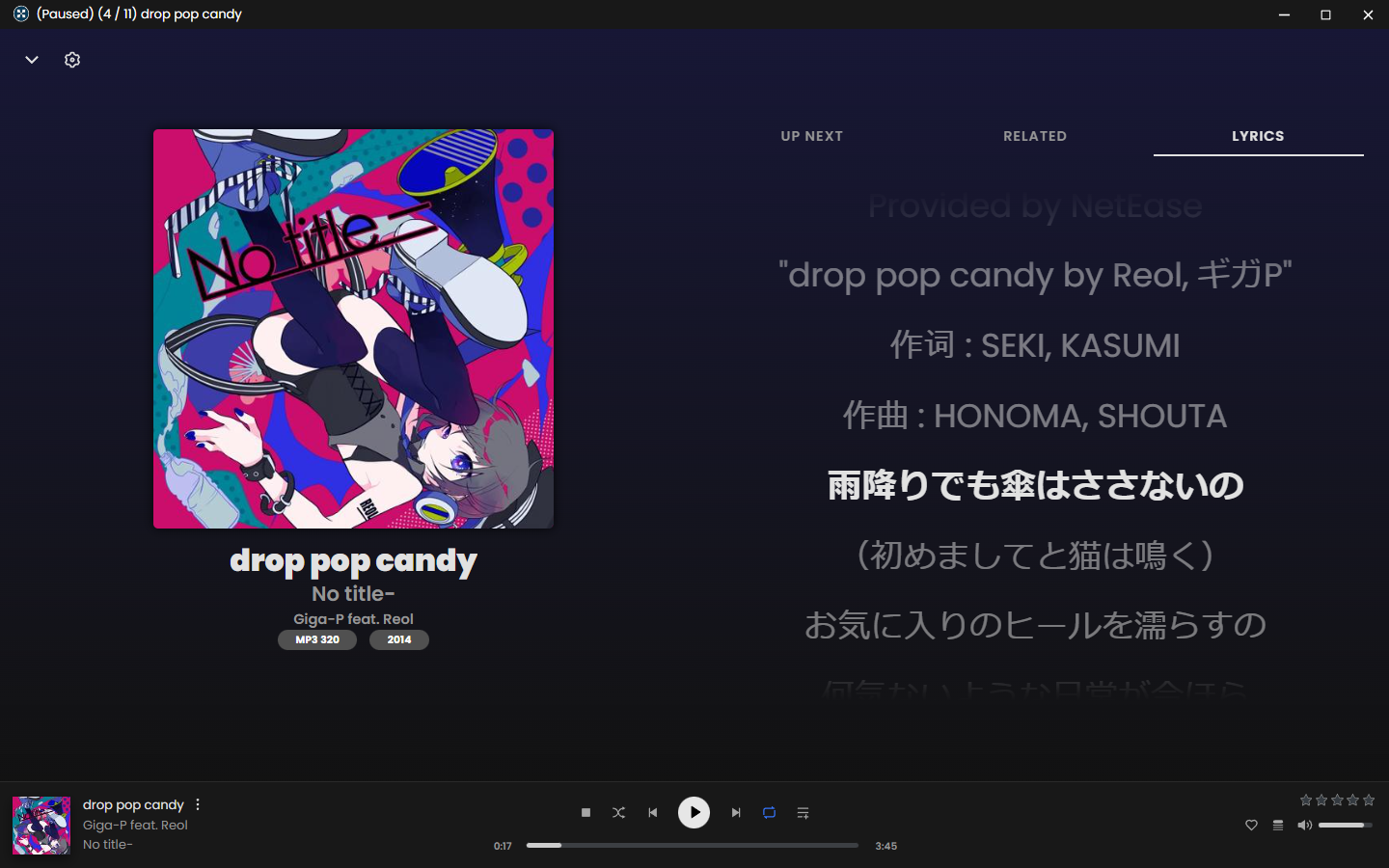
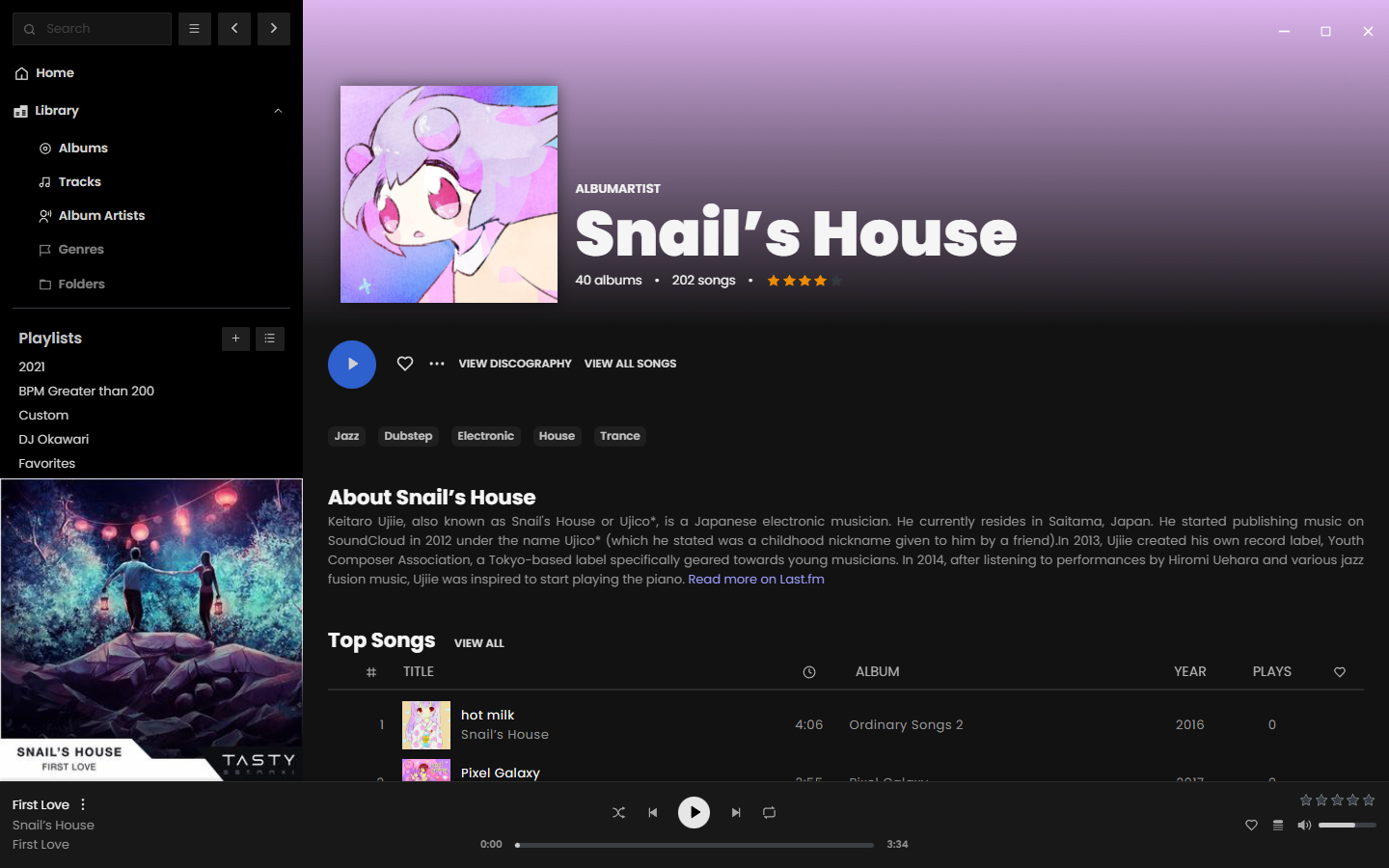
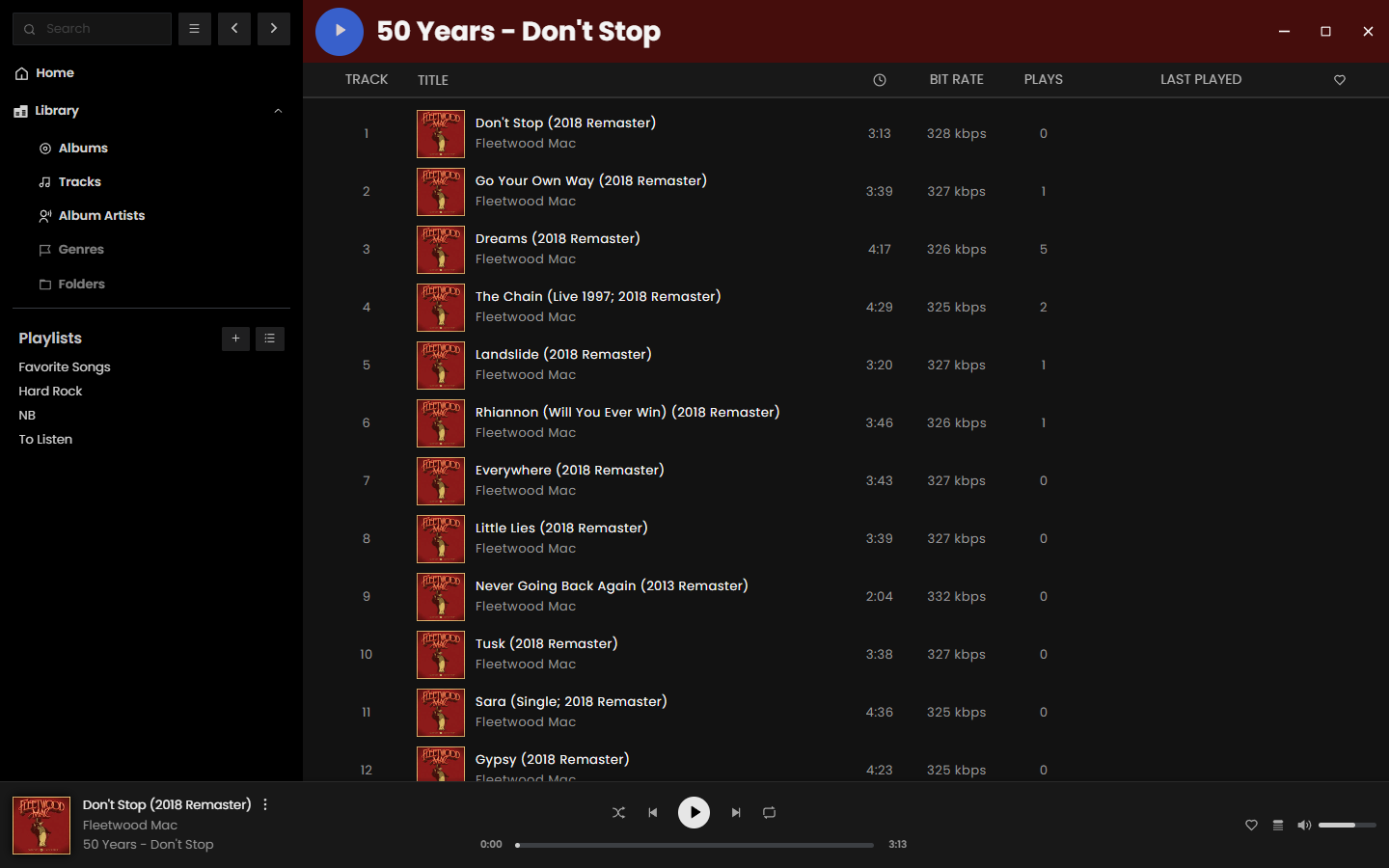
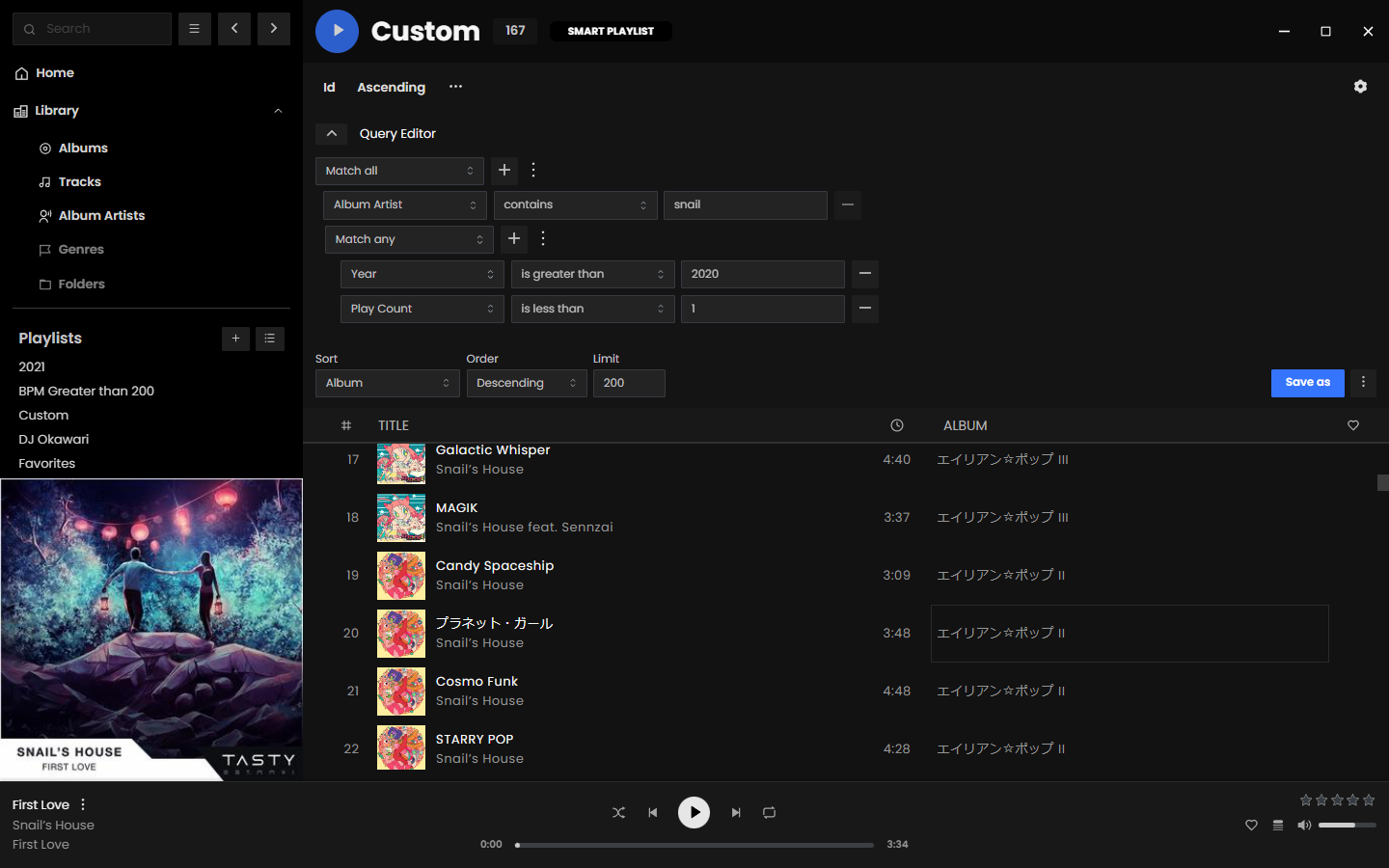 ## Getting Started
### Linux Desktop
Download the [latest desktop client](https://github.com/antebudimir/feishin/releases). The desktop client is the recommended way to use Feishin. It supports both the MPV and web player backends, as well as includes built-in fetching for lyrics.
### Configuration
1. Upon startup you will be greeted with a prompt to select the path to your MPV binary. If you do not have MPV installed, you can download it [here](https://mpv.io/installation/) or install it using any package manager supported by your OS. After inputting the path, restart the app.
2. After restarting the app, you will be prompted to select a server. Click the `Open menu` button and select `Manage servers`. Click the `Add server` button in the popup and fill out all applicable details. You will need to enter the full URL to your server, including the protocol and port if applicable (e.g. `https://navidrome.my-server.com` or `http://192.168.0.1:4533`).
- **Navidrome** - For the best experience, select "Save password" when creating the server and configure the `SessionTimeout` setting in your Navidrome config to a larger value (e.g. 72h).
- **Linux users** - The default password store uses `libsecret`. `kwallet4/5/6` are also supported, but must be explicitly set in Settings > Window > Passwords/secret score.
3. _Optional_ - If you want to host Feishin on a subpath (not `/`), then pass in the following environment variable: `PUBLIC_PATH=PATH`. For example, to host on `/feishin`, pass in `PUBLIC_PATH=/feishin`.
4. _Optional_ - To hard code the server url, pass the following environment variables: `SERVER_NAME`, `SERVER_TYPE` (one of `jellyfin` or `navidrome`), `SERVER_URL`. To prevent users from changing these settings, pass `SERVER_LOCK=true`. This can only be set if all three of the previous values are set.
## FAQ
### MPV is either not working or is rapidly switching between pause/play states
First thing to do is check that your MPV binary path is correct. Navigate to the settings page and re-set the path and restart the app. If your issue still isn't resolved, try reinstalling MPV. Known working versions include `v0.35.x` and `v0.36.x`. `v0.34.x` is a known broken version.
### What music servers does Feishin support?
Feishin supports any music server that implements a [Navidrome](https://www.navidrome.org/), [Jellyfin](https://jellyfin.org/), or [OpenSubsonic compatible](https://opensubsonic.netlify.app/) API.
- [Navidrome](https://github.com/navidrome/navidrome)
- [Jellyfin](https://github.com/jellyfin/jellyfin)
- [OpenSubsonic](https://opensubsonic.netlify.app/) compatible servers, such as...
- [Airsonic-Advanced](https://github.com/airsonic-advanced/airsonic-advanced)
- [Ampache](https://ampache.org)
- [Astiga](https://asti.ga/)
- [Funkwhale](https://www.funkwhale.audio/)
- [Gonic](https://github.com/sentriz/gonic)
- [LMS](https://github.com/epoupon/lms)
- [Nextcloud Music](https://apps.nextcloud.com/apps/music)
- [Supysonic](https://github.com/spl0k/supysonic)
- [Qm-Music](https://github.com/chenqimiao/qm-music)
- More (?)
### I have the issue "The SUID sandbox helper binary was found, but is not configured correctly" on Linux
This happens when you have user (unprivileged) namespaces disabled (`sysctl kernel.unprivileged_userns_clone` returns 0). You can fix this by either enabling unprivileged namespaces, or by making the `chrome-sandbox` Setuid.
```bash
chmod 4755 chrome-sandbox
sudo chown root:root chrome-sandbox
```
Ubuntu 24.04 specifically introduced breaking changes that affect how namespaces work. Please see
## Getting Started
### Linux Desktop
Download the [latest desktop client](https://github.com/antebudimir/feishin/releases). The desktop client is the recommended way to use Feishin. It supports both the MPV and web player backends, as well as includes built-in fetching for lyrics.
### Configuration
1. Upon startup you will be greeted with a prompt to select the path to your MPV binary. If you do not have MPV installed, you can download it [here](https://mpv.io/installation/) or install it using any package manager supported by your OS. After inputting the path, restart the app.
2. After restarting the app, you will be prompted to select a server. Click the `Open menu` button and select `Manage servers`. Click the `Add server` button in the popup and fill out all applicable details. You will need to enter the full URL to your server, including the protocol and port if applicable (e.g. `https://navidrome.my-server.com` or `http://192.168.0.1:4533`).
- **Navidrome** - For the best experience, select "Save password" when creating the server and configure the `SessionTimeout` setting in your Navidrome config to a larger value (e.g. 72h).
- **Linux users** - The default password store uses `libsecret`. `kwallet4/5/6` are also supported, but must be explicitly set in Settings > Window > Passwords/secret score.
3. _Optional_ - If you want to host Feishin on a subpath (not `/`), then pass in the following environment variable: `PUBLIC_PATH=PATH`. For example, to host on `/feishin`, pass in `PUBLIC_PATH=/feishin`.
4. _Optional_ - To hard code the server url, pass the following environment variables: `SERVER_NAME`, `SERVER_TYPE` (one of `jellyfin` or `navidrome`), `SERVER_URL`. To prevent users from changing these settings, pass `SERVER_LOCK=true`. This can only be set if all three of the previous values are set.
## FAQ
### MPV is either not working or is rapidly switching between pause/play states
First thing to do is check that your MPV binary path is correct. Navigate to the settings page and re-set the path and restart the app. If your issue still isn't resolved, try reinstalling MPV. Known working versions include `v0.35.x` and `v0.36.x`. `v0.34.x` is a known broken version.
### What music servers does Feishin support?
Feishin supports any music server that implements a [Navidrome](https://www.navidrome.org/), [Jellyfin](https://jellyfin.org/), or [OpenSubsonic compatible](https://opensubsonic.netlify.app/) API.
- [Navidrome](https://github.com/navidrome/navidrome)
- [Jellyfin](https://github.com/jellyfin/jellyfin)
- [OpenSubsonic](https://opensubsonic.netlify.app/) compatible servers, such as...
- [Airsonic-Advanced](https://github.com/airsonic-advanced/airsonic-advanced)
- [Ampache](https://ampache.org)
- [Astiga](https://asti.ga/)
- [Funkwhale](https://www.funkwhale.audio/)
- [Gonic](https://github.com/sentriz/gonic)
- [LMS](https://github.com/epoupon/lms)
- [Nextcloud Music](https://apps.nextcloud.com/apps/music)
- [Supysonic](https://github.com/spl0k/supysonic)
- [Qm-Music](https://github.com/chenqimiao/qm-music)
- More (?)
### I have the issue "The SUID sandbox helper binary was found, but is not configured correctly" on Linux
This happens when you have user (unprivileged) namespaces disabled (`sysctl kernel.unprivileged_userns_clone` returns 0). You can fix this by either enabling unprivileged namespaces, or by making the `chrome-sandbox` Setuid.
```bash
chmod 4755 chrome-sandbox
sudo chown root:root chrome-sandbox
```
Ubuntu 24.04 specifically introduced breaking changes that affect how namespaces work. Please see